Design It, Share It, Build It: Inside Soundvision and Soundvision Connect Design It, Share It, Build It: Inside Soundvision and Soundvision Connect ...
Antoni Gaudí tested his arches upside down. Before committing stone to the Sagrada Família, he hung weighted chains from the ceiling of his workshop and let gravity show him the ideal curve. He predicted how a structure would behave before anyone laid a single block.
Sound system designers face the same challenge. Every venue has its own geometry, materials, and audience layout, and every decision made on paper shows up in the room on show day. We built Soundvision and Soundvision Connect to close that gap: one tool to predict how a system will perform, and one to bring every stakeholder into the design before load-in.
What is Soundvision?
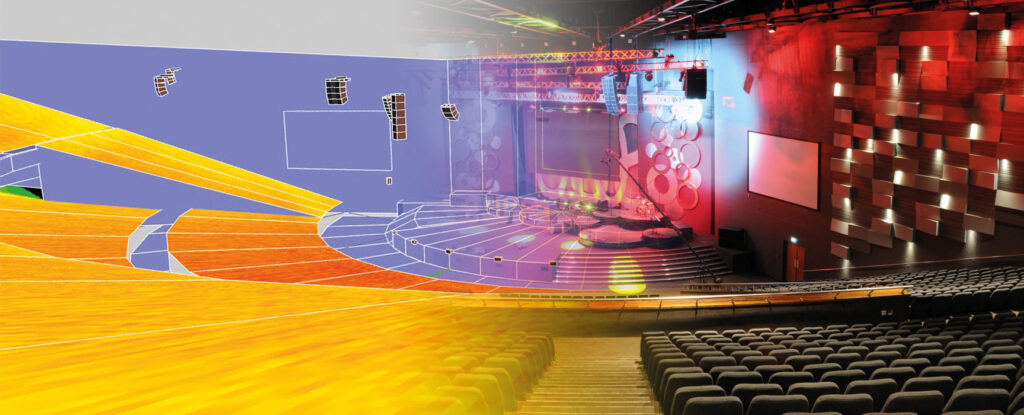
Soundvision is the L-Acoustics 3D acoustic simulation and system design software for Windows and macOS. Engineers build a venue model, place any L-Acoustics loudspeaker, line source, or subwoofer inside it, and see the predicted sound pressure level (SPL) across the audience rendered in precise detail. Results appear in dBA, dBC, or unweighted dB, over whatever frequency range the designer chooses.
Users can start with a simple model for a quick estimate or build a detailed one for maximum precision. Complex scenes can be imported directly from SketchUp and Vectorworks through dedicated plugins. To save even more time, our Venue Database offers certified, ready-to-use models contributed by the Soundvision community, covering venues from Red Rocks Amphitheatre to the Accor Arena in Paris and Signal Iduna Park in Dortmund.
The latest release, Soundvision 2026.4, arrived in October 2026 with full Apple Silicon support for enhanced performance and stability on Mac. It also adds K2-BAR for L2 and L2D and creates a default array of four L1 and one L1D enclosure when users add an L1 source.


How Does Soundvision Optimize a Design?
Prediction tells you where a design stands. Optimization tells you how to improve it. Soundvision includes two Autosolver tools that do much of that work automatically.
Autosplay adjusts the inter-element angles of a line source to meet an SPL distribution target the designer sets. It balances wavefront integrity against even coverage, and it does so far faster than manual trial and error.
Autofilter evens out high-frequency response across the audience. It applies linear-phase FIR filters to match a defined contour objective while using limited processing resources. Designers can enter on-site atmospheric conditions so the filters account for the actual temperature and humidity of the show. We recently published an Autofilter Feature Overview on our website for engineers who want to understand the functionality in depth.
Soundvision also displays design criteria and indicators to visualize how the impact of each design decision, such as changing a hang height, a splay angle, or a processing setting, affects SPL distribution and frequency response.
How Does Soundvision Carry a Design From Screen to Stage?
A good simulation only matters if it translates to the rig. Soundvision handles the steps between design and deployment:
- Amplification planning, including zoning, preset selection from the L-Acoustics library, and IP assignment
- A mechanical view with dimensions, weights, load data, and safety messages for rigging
- An installation report that speeds up load-in
- Bridge, which sends project data straight into LA Network Manager and L-ISA Controller
- Export to EASE with our full GLL library, and to CAD software through DXF
For immersive projects, dedicated L-ISA simulation functions unlock through L-ISA advanced training.
Engineers who rely on Soundvision daily point to accuracy as its defining trait. Deward Timothy of Poll Sound reports that his team has never seen predicted and measured performance differ even moderately, which lets him design both new construction and building redesigns with confidence. In his words, L-Acoustics has “mastered the science of prediction.”
What is Soundvision Connect?
Soundvision Connect is a browser-based collaboration platform for Soundvision projects. A designer exports a project with one click, and everyone involved can explore it in detailed 3D on a desktop, tablet, or phone. Viewers need no Soundvision experience and install nothing.
Consider who touches a typical installation: consultants, integrators, venue owners, technical managers, production managers, and sales teams. Each needs something different from the design, and most of them never open acoustic modeling software. Soundvision Connect gives all of the current versions of the project, which replaces the cycle of emailed screenshots, renamed files, and conflicting drafts.
Its core features include:
- Commenting, which attaches notes to specific elements in the design and notifies tagged users
- Versioning, which places design iterations side by side to compare configurations and trade-offs
- Inventory, which breaks down every component and exports a bill of materials in CSV
- File sharing, which lets users download the Soundvision XMLP file for further refinement
Projects stay private. Only invited users can view a project; each must create an account, and the owner can revoke access at any time.

How Do Soundvision and Soundvision Connect Work Together?
The two tools form a loop. Designers model and optimize in Soundvision, then push the project to Soundvision Connect, where SPL mappings, system configuration, enclosure renders, and saved camera angles all carry over. Stakeholders review and comment. The designer pulls the XMLP file back into Soundvision, refines the design, and shares the next version. Decisions happen faster because everyone looks at the same thing.
Access Through All Access
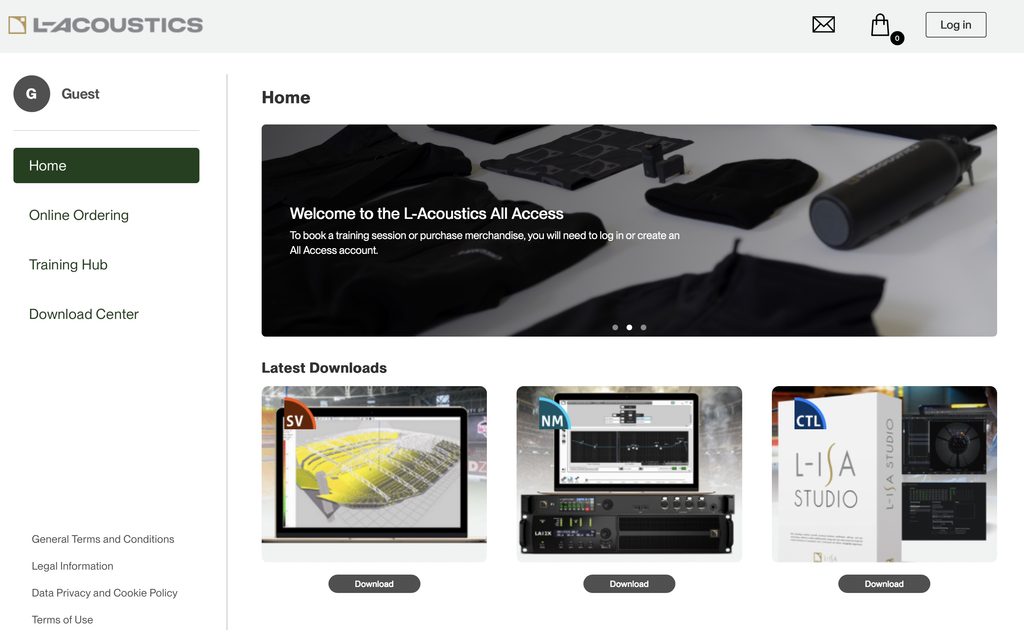
All Access, our online platform for L-Acoustics users, serves as the home base for software. Download the latest version of Soundvision from the All Access download center for Windows or macOS.
Soundvision Connect is free and browser-based so it doesn’t require download. A standard account stores up to three projects at once, with two versions per project and a single project owner per workspace. Through All Access, users can upgrade to Soundvision Connect Plus at no cost until October 2027. Plus raises the limits to 1,000 stored projects, eight versions per project, and ten project owners per workspace, which suits firms running many projects at once.
All Access also lists upcoming trainings, including our Soundvision course and System & Workflow course, so designers can build their skills alongside their projects.
Frequently Asked Questions
Is Soundvision Connect free?
Yes. Soundvision Connect is free, and Soundvision Connect Plus is free through All Access until October 2027.
Do collaborators need Soundvision to view a project?
No. Anyone with an invitation can open the project in a web browser on any device.
Which operating systems does Soundvision support?
Soundvision 2026.4 runs on Windows 10, Windows 11, and macOS from Catalina through Tahoe. It is the last release to support macOS Catalina.
Where do I download Soundvision?
Download it from the L-Acoustics All Access platform at access.l-acoustics.com.
Subscribe to Our Newsletter
Get the lastest news and find out about listening events.